Magnetism
Snapping & alignment for spatial UI
Magnetism is a feature released on v2.1 of Meta Horizon OS that enables apps, windows and panels to automatically snap and align to nearby walls in your environment (VR or in real life)
My contributions included:
- Shader development
- Visual & motion design
- Setting up surface detection using Meta Scene API before moving to Depth API
- Writing code to abstract away visual state transitions, animation & control logic
- Overseeing shader port into production code for shipping
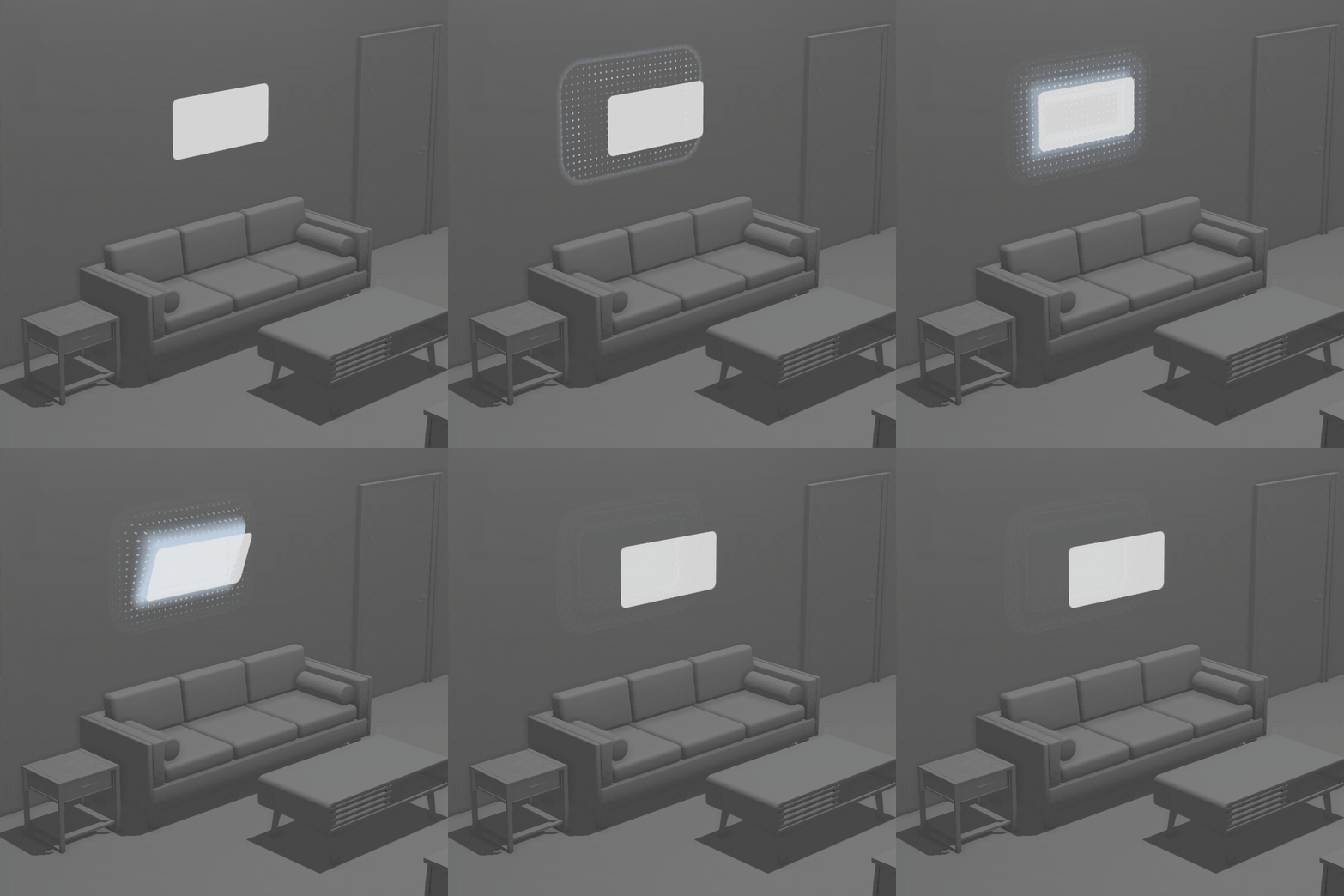
The pitch
A key feature of the OS was to allow users to persist panels anywhere in their environment, making them feel like permanent objects and allowing for more use cases to use the headset outside of just a gaming device.
Attaching objects to your walls and tables is a strong mental model for object permanence. It allows us to more easily organize our content and it can create moments of delight, where you see how the virtual world is aware of your physical environment.
Challenges
- Even though it’s a prototype, must work realistically within compute budget and restraints of the OS
- Surface detection is tricky! Many trade offs to consider.
- Achieve seamless & delightful interaction with low friction, e.g., avoiding a button to enter “placement mode”
- How to best map our input data (hands, gaze, controllers) to actions like pulling a panel off a wall, or placing it?
Process
Procedural UI
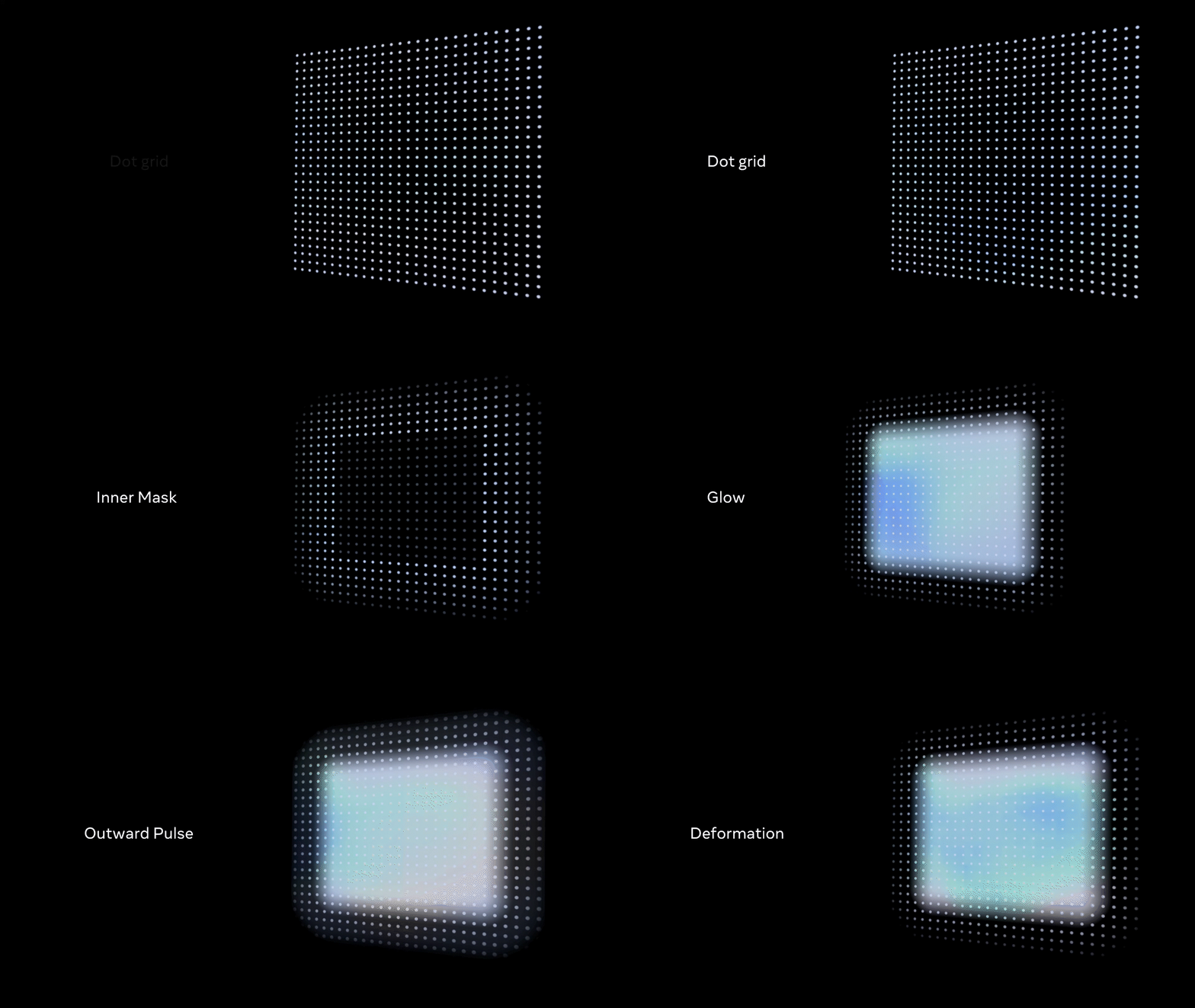
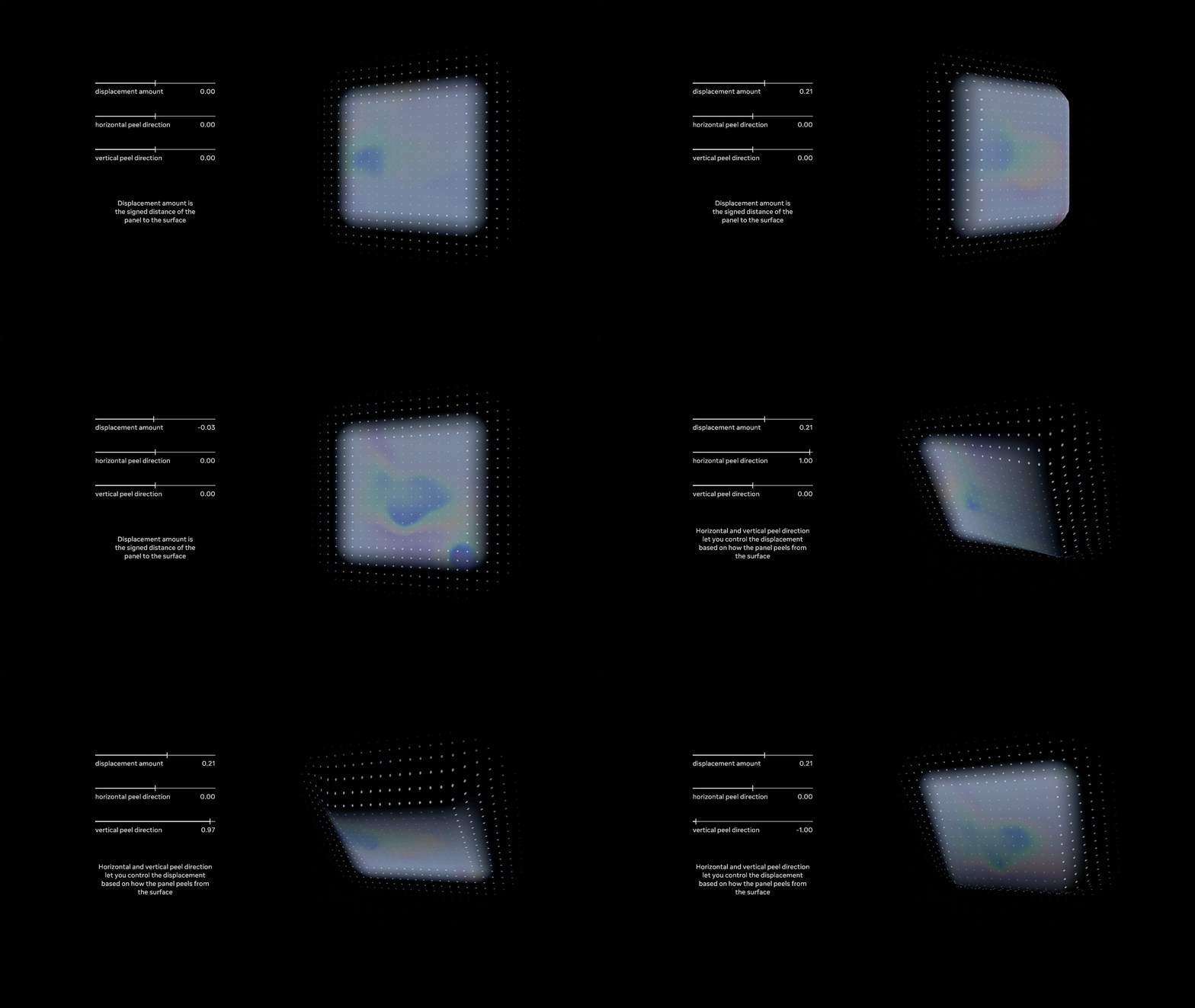
The feature is composed of two core elements, the interactable content, i.e. the thing you are moving and anchoring to your wall, and the visual feedback of the interaction.
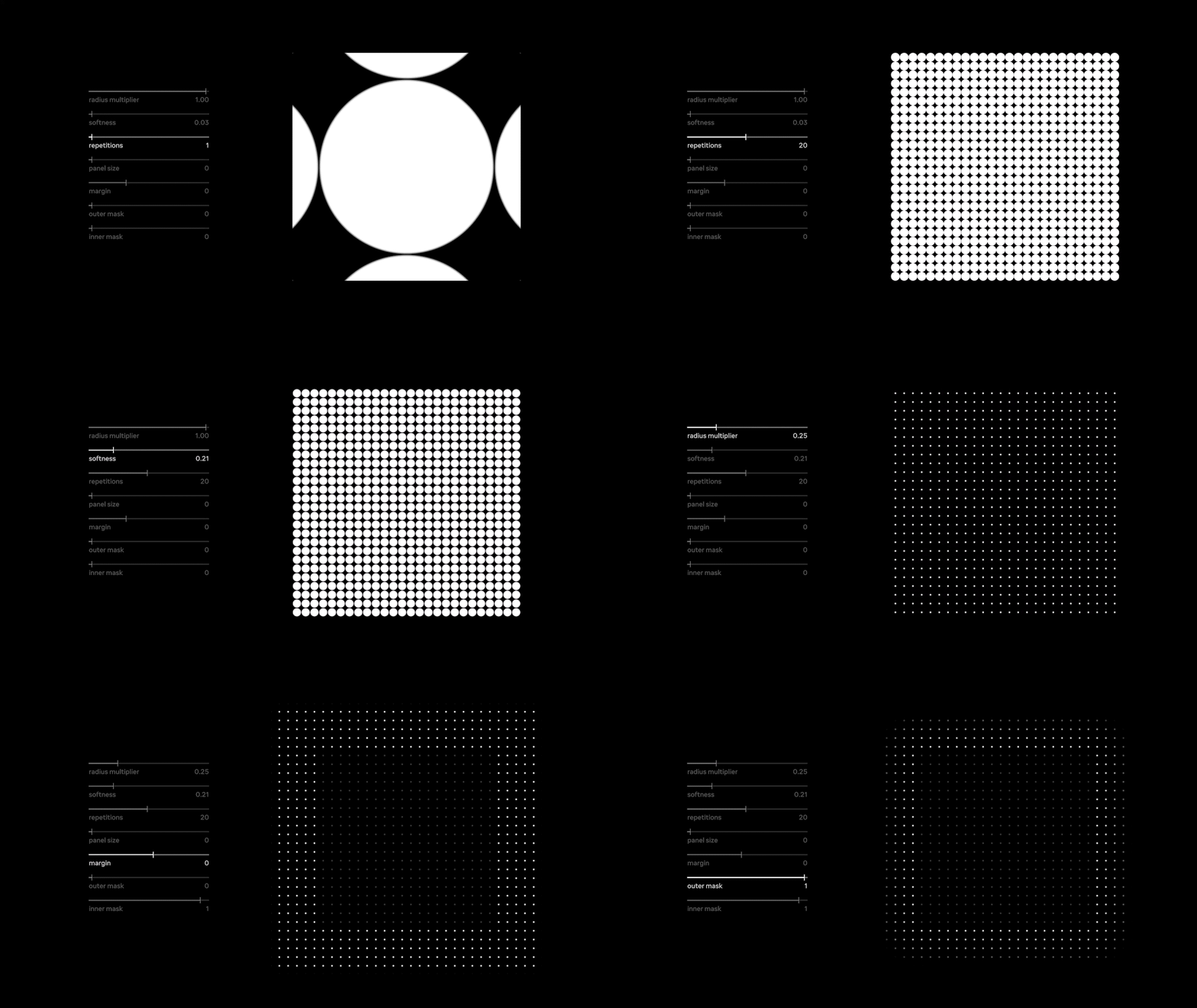
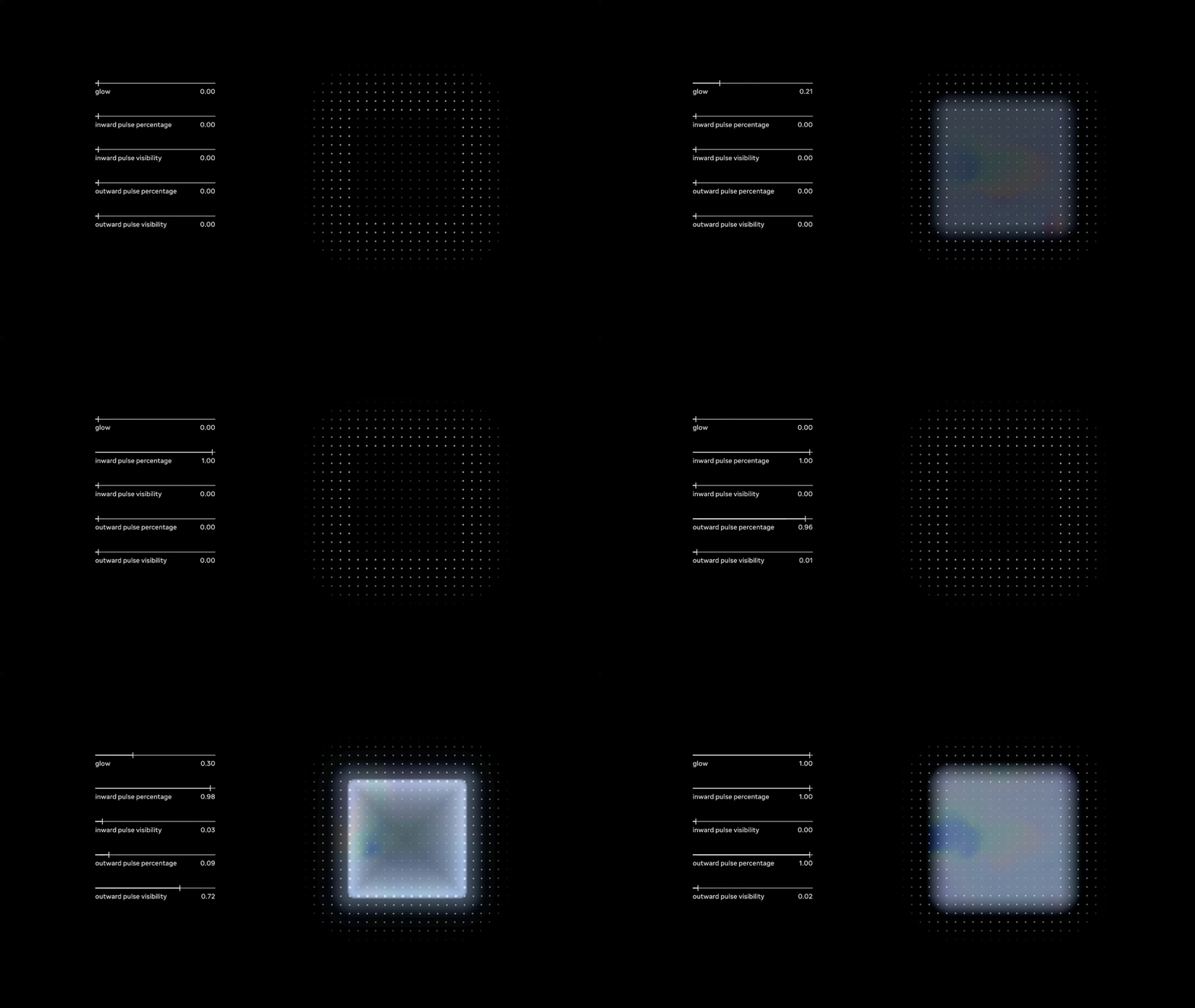
All visual elements were rendered procedurally using SDFs, both in the prototype in Unity and in the final GLSL shader code.
All code related to visual parameters was kept in its own class, and code related to controlling those parameters via state machines or continuious mapping of input data was designated to its own controller class
World locked grid
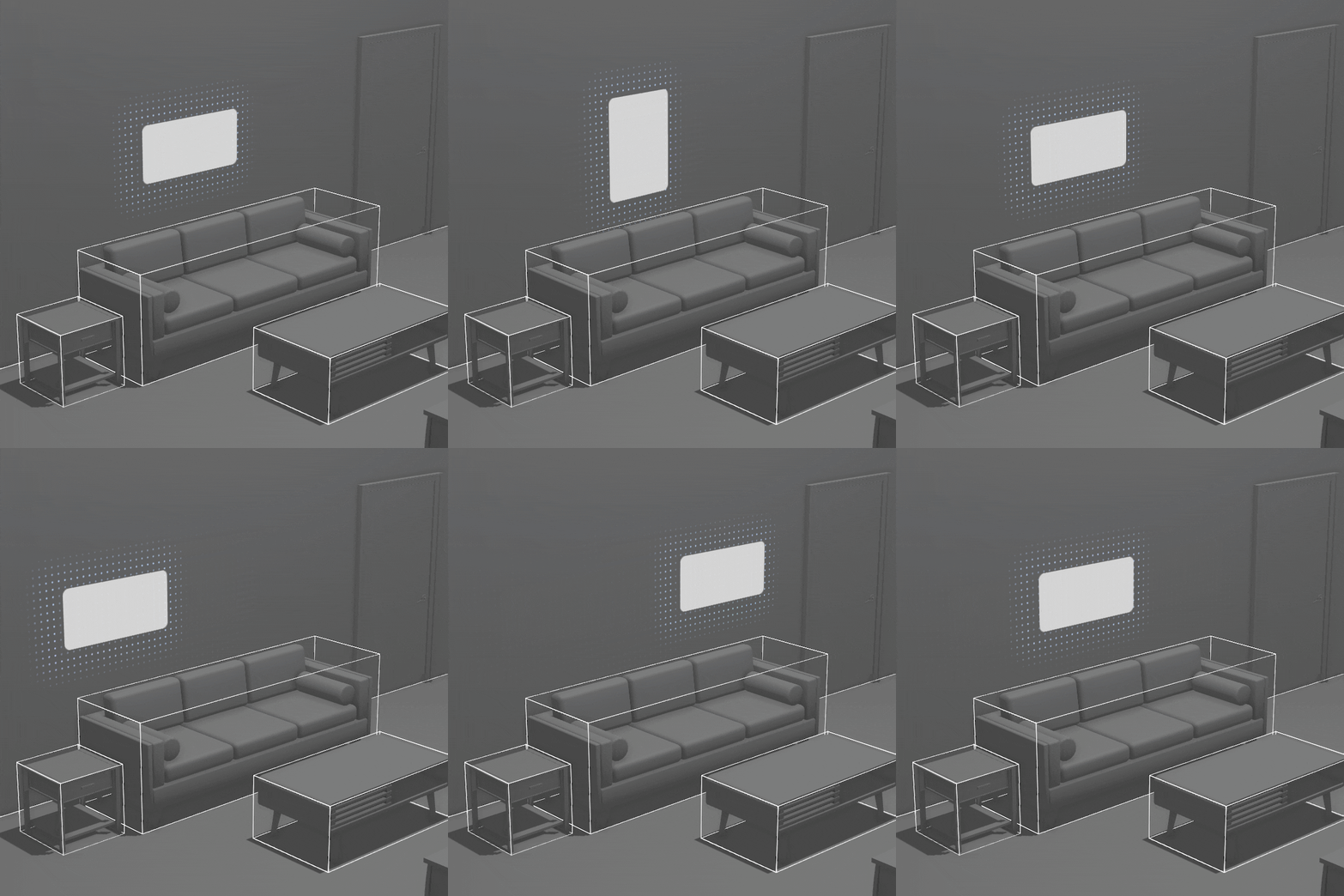
The coordinate space for deriving the dot grid SDF was anchored to the world position, but stayed local to the quad mesh it rendered on when rotated. This way the dots appeared stuck on a wall or table, but the grid could be rotated in any way and the grid would still stay flush on that plane
Depth API
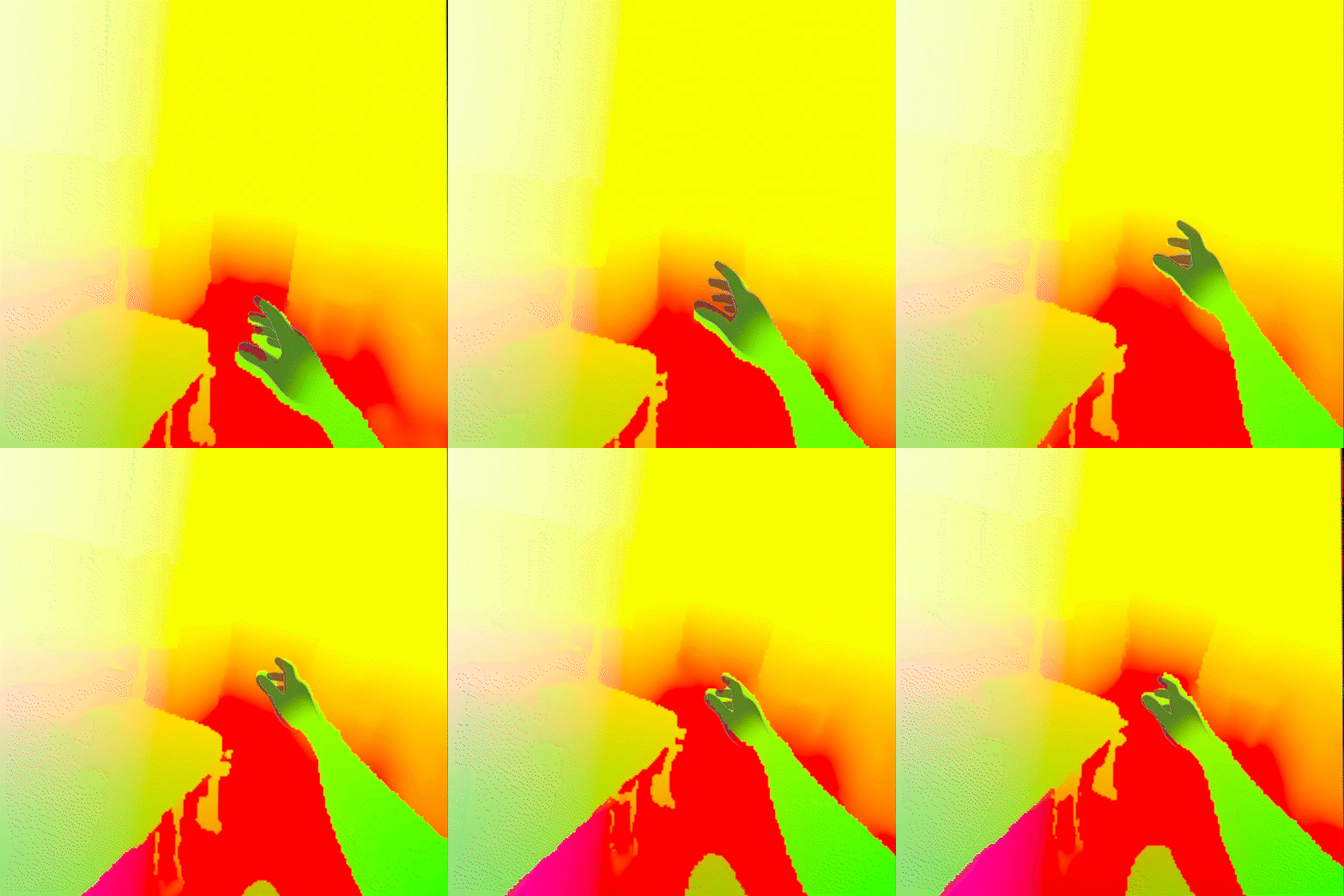
The Depth API was used for surface detection. Originally I had implemented the Meta Scene API, however that requires the user to setup their room first. The Depth API is not as accurate in its detection as we estimate planar surfaces based on an array of normals from shooting rays out into the depth map, but it requires no setup at all.
Masking
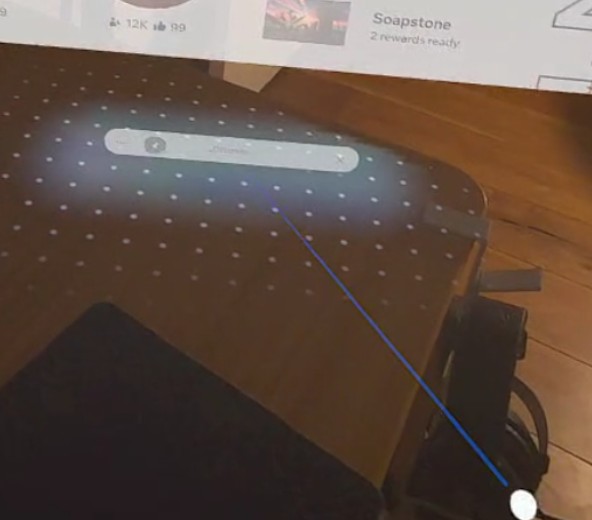
Using position derived from the depth map reverse projection, I set up an occlusion effect in the shader, discarding fragments whose distance from the depth position at that pixel exceeded a certain threshold, enabling the effect to not draw over surfaces like tables or walls with doorways